What Are the Common Reasons for Power Points to Fail?
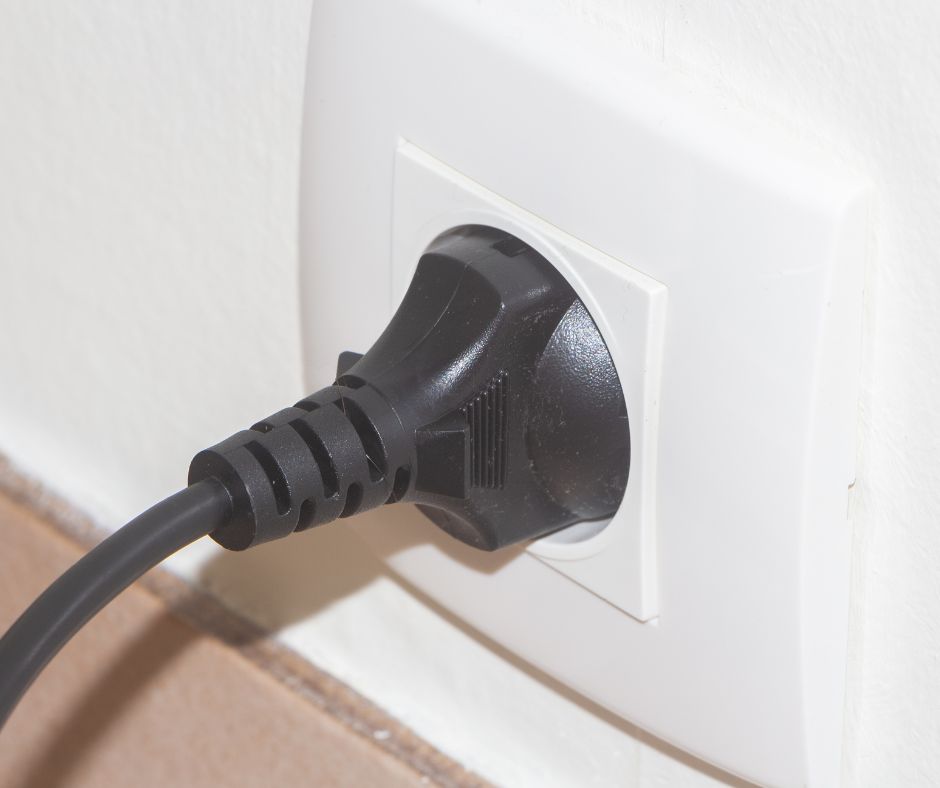
Power points can stop functioning for a variety of reasons. Common issues include tripped circuit breakers or safety switches, loose wiring in the socket, a faulty or burnt-out socket, or problems with the appliance plugged into it. If several power points stop working at once, it is likely a circuit issue rather than an individual socket problem.
How Can You Diagnose the Source of a Non-Functional Power Point?
When a power point suddenly stops working, it’s natural to suspect the appliance, like a kettle or phone charger. While this may be the case sometimes, the issue might also be with the outlet or the circuit itself.
In regions such as Werribee, Altona, and Tarneit, we frequently encounter faulty power points due to wear, loose connections, or issues further along the circuit. Below are some safety checks you can carry out before calling an electrician, all of which do not require you to remove covers or handle wiring.
1. Are the Issues Limited to One Power Point or Multiple Points?
Start by assessing the scope of the problem. If only one socket is not working, the fault likely lies with that particular power point. if an entire wall or room of sockets is inactive, the issue may originate from the circuit or the switchboard.
Evaluate Nearby Power Points for Functionality
Plug in a lamp or phone charger into adjacent power points on the same wall or in a nearby area. If these outlets function correctly, the problem is probably isolated to the one socket. If multiple sockets are non-functional, check the switchboard next.
Test an Appliance You Know Works
Use an appliance that you know is operational in another part of the house. If it works in the suspected power point, the issue lies with the original appliance or its cord, not the outlet. Make sure the switch on the power point is turned on, as it can be easily overlooked behind furniture.
2. How to Inspect the Safety Switch and Circuit Breakers
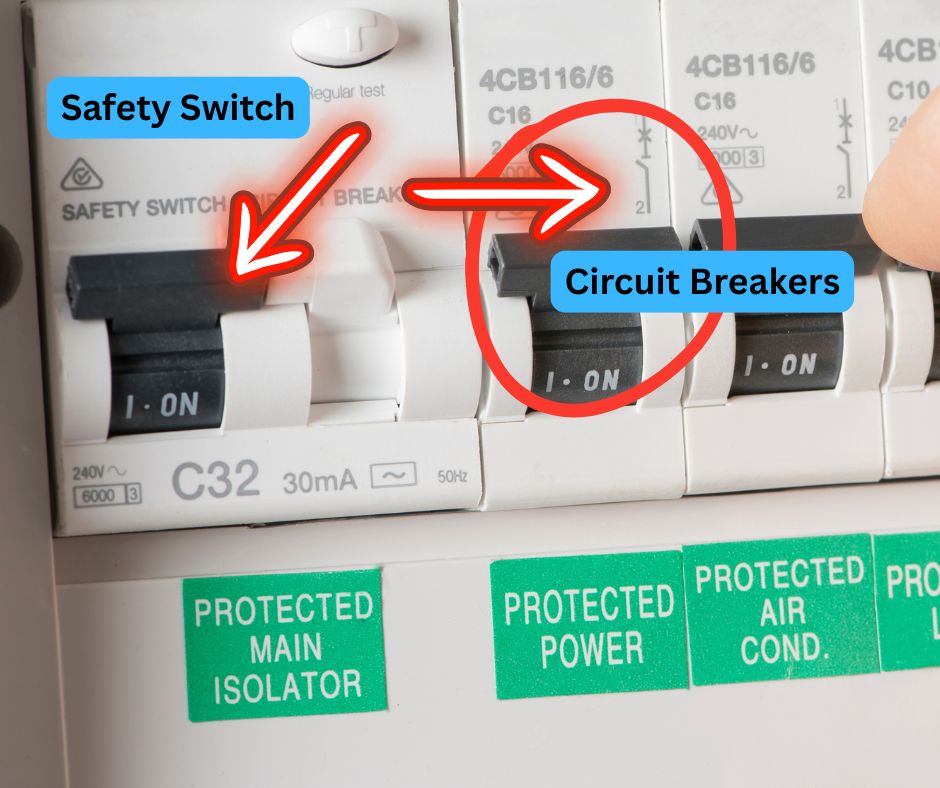
As per Energy Safe Victoria, a safety switch monitors the electrical flow through a circuit and disconnects power within 0.03 seconds if it detects a safety issue. A circuit breaker protects against short circuits and overloads, which may occur from overused power points (Energy Safe Victoria, Household wiring). Either device may interrupt power to your outlets.
Access your switchboard and look for any switches in the OFF position. Safety switches can be identified by their test button and the “30mA” label. Follow these troubleshooting steps:
- Reset the tripped breaker or safety switch once.
- If it trips again immediately, unplug all devices on that circuit and reset it again.
- If it remains on, reconnect appliances one at a time to identify the faulty item.
- If it trips again with no appliances connected, leave it off and contact an electrician.
A switch that trips without any appliances indicates a fault in the wiring, the power point itself, or something hardwired on that circuit. For further information, refer to our detailed guide on circuit breakers that continuously trip. If the problem occurs outside of regular hours and you cannot leave the circuit off, our emergency electrician service is available 24/7.
Why Are My Power Points Not Functioning While the Lights Are Working?
Many switchboards feature separate switches for “Lights” and “Power.” If the power circuit or its safety switch trips, the power points will stop functioning while the lights continue to operate. If your power points are inactive, but the lights are working, it’s crucial to inspect the switchboard first.
If all switches are ON but the power points still do not work, the issue may arise from a loose connection at one power point affecting others on the same circuit. For widespread issues impacting larger areas of the home, refer to our article on managing situations where half the house has lost power.
3. What Are the Typical Causes of Power Point Failures?
Worn-Out Socket
Older power points may develop internal loosening or arcing failures. You might notice that the plug fits loosely or hear clicking sounds, yet the outlet does not supply power.
Loose Connection Behind the Power Point
Over time, wires can loosen from their terminals due to vibration, age, or improper installation. A loose connection can hinder the functionality of a single power point or affect all outlets on the same circuit.
Burnt Terminals
If a plug was loose or an appliance such as a heater drew excessive current for extended periods, the socket may overheat and burn internally. Signs of this include brown or black marks around the pins.
Fault on a Shared Circuit
Power points located in a room or along a wall are often connected to the same circuit. A fault at one socket can disrupt power to multiple outlets, even if the other sockets appear to be functioning.
Damage from Drilling or Renovation Work
Have you experienced a power loss shortly after drilling for shelves? A drill or nail can inadvertently sever a cable within the wall. Turn off that circuit at the switchboard and keep it off until a qualified electrician can trace and repair the damaged wiring.
4. When Is It Necessary to Call for Professional Electrical Assistance?
Energy Safe Victoria advises homeowners against attempting electrical repairs themselves and recommends hiring a licensed electrical contractor. Always request a Certificate of Electrical Safety for any work completed (Energy Safe Victoria, Working with tradespeople). If the simple checks outlined earlier do not fix the issue, contact a licensed electrician if:
- The breaker or safety switch trips each time you try to reset it.
- You notice a burning smell near the power point.
- The outlet feels warm or shows signs of discolouration.
- You hear crackling or buzzing sounds coming from the socket.
- A working appliance still does not receive power from the outlet.
If you observe any signs of burning, heat, or crackling, stop using the power point immediately and turn off that circuit at the switchboard until it can be inspected.
5. What Happens When We Investigate a Faulty Power Point?
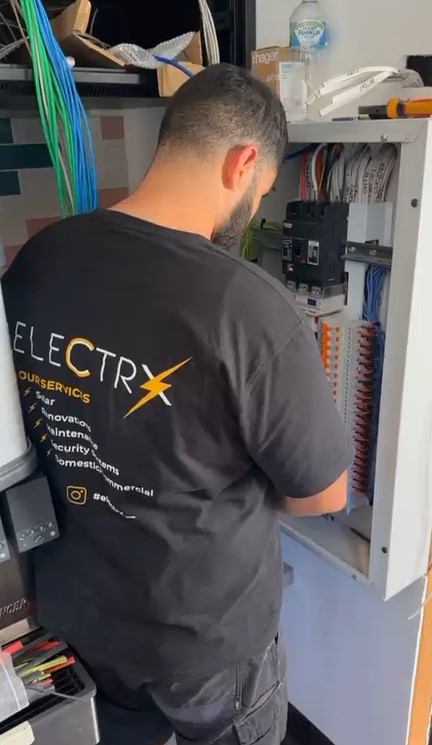
When one of our electricians arrives to resolve a non-functional power point, the process involves tracing the fault from the outlet back to the switchboard. Depending on our findings, the visit typically includes:
- Testing the output at the power point.
- Inspecting the wiring and terminals within the socket.
- Testing the circuit associated with the power point.
- Examining the breakers and safety switches on your switchboard.
- Replacing or upgrading the malfunctioning power point.
Before any work begins, we will discuss our findings and recommendations with you. A Certificate of Electrical Safety serves as legal documentation for the work completed by a registered electrical contractor or licensed electrician, and Energy Safe Victoria includes power points within the scope of this certificate (Energy Safe Victoria, Certificates of Electrical Safety for consumers). If the problem extends beyond one outlet, our electrical fault-finding service can trace it throughout the circuit.
6. Why Upgrading Your Power Points During the Same Visit Is a Smart Choice
If one power point has failed and others in the room are old, cracked, or discoloured, it may be wise to replace them all in one visit. While the electrician is on-site, we can also:
- Install USB power points.
- Fit weatherproof outdoor power points.
- Replace double power points with quad outlets.
- Relocate power points or install new ones in living areas, bedrooms, or kitchens.
For more information about the services we offer in homes across Melbourne’s western suburbs, please visit our residential electrician page.
Common Questions Regarding Non-Functional Power Points

Schedule an Inspection for a Faulty Power Point in Melbourne’s Western Suburbs
A non-working power point may indicate a minor issue like a tripped switch that you can reset, or it may signal a more serious wiring concern. If the troubleshooting steps outlined above do not resolve the problem, Electrx Electricians can accurately identify the cause and ensure the outlet is safe. We are a Registered Electrical Contractor (REC 31135) based in Brooklyn. Contact us at 0447 139 493 or book a visit online.
Find Electricians Near You
Original Article First Published At: Power Point Not Working? Here’s What to Check Before You Call
The Article: Power Point Not Working? Essential Checks Before Calling for Help first appeared on https://writebuff.com
The post Powerpoint Not Working? Key Checks Before Seeking Help appeared first on Limits Of Strategy.